[Get the best value security camera cords on Amazon today!]
# Security Camera Cords: The Ultimate Guide to Choosing the Right Ones
Choosing the right security camera cords can be surprisingly complex. It’s not just about finding something that plugs in! The right cord affects your camera’s performance, reliability, and even its vulnerability to tampering. This guide breaks down everything you need to know to make the best choice for your security setup.
[Browse top-rated security camera cords on Amazon]
## Why Security Camera Cords Matter
It’s easy to overlook the importance of security camera cords. After all, they just deliver power and data, right? Well, yes, but how *effectively* they do that, and how *securely* they do that, are critical.
* **Power Delivery:** A poor-quality cord might not deliver enough power, leading to camera malfunctions or reduced image quality, especially at night.
* **Signal Integrity:** For wired cameras, the cord is the data lifeline. Interference or damage can result in blurry images, dropped connections, or complete failure.
* **Security:** Exposed or easily cut cords are a major vulnerability. A thief can disable your entire system in seconds.
* **Durability:** Cords exposed to the elements need to withstand sun, rain, snow, and temperature extremes. Cheap cords quickly degrade, leading to costly replacements.
* **Compatibility:** Using the wrong type of cord can damage your camera or prevent it from working altogether.
[Browse top-rated security camera cords on Amazon]
## Types of Security Camera Cords
Understanding the different types of cords is essential for making the right choice. Here’s a breakdown of the most common options:
### Power Cords
* **DC Power Cords:** These are the most common type of power cord for security cameras, typically using a 12V or 24V DC power supply. They usually have a barrel connector that plugs directly into the camera.
* **AC Power Cords:** Some cameras, especially older models or those designed for indoor use, use standard AC power cords that plug into a wall outlet.
* **Extension Cords:** Useful for extending the reach of existing power cords. Make sure to choose an extension cord rated for outdoor use if needed.
### Data Cords
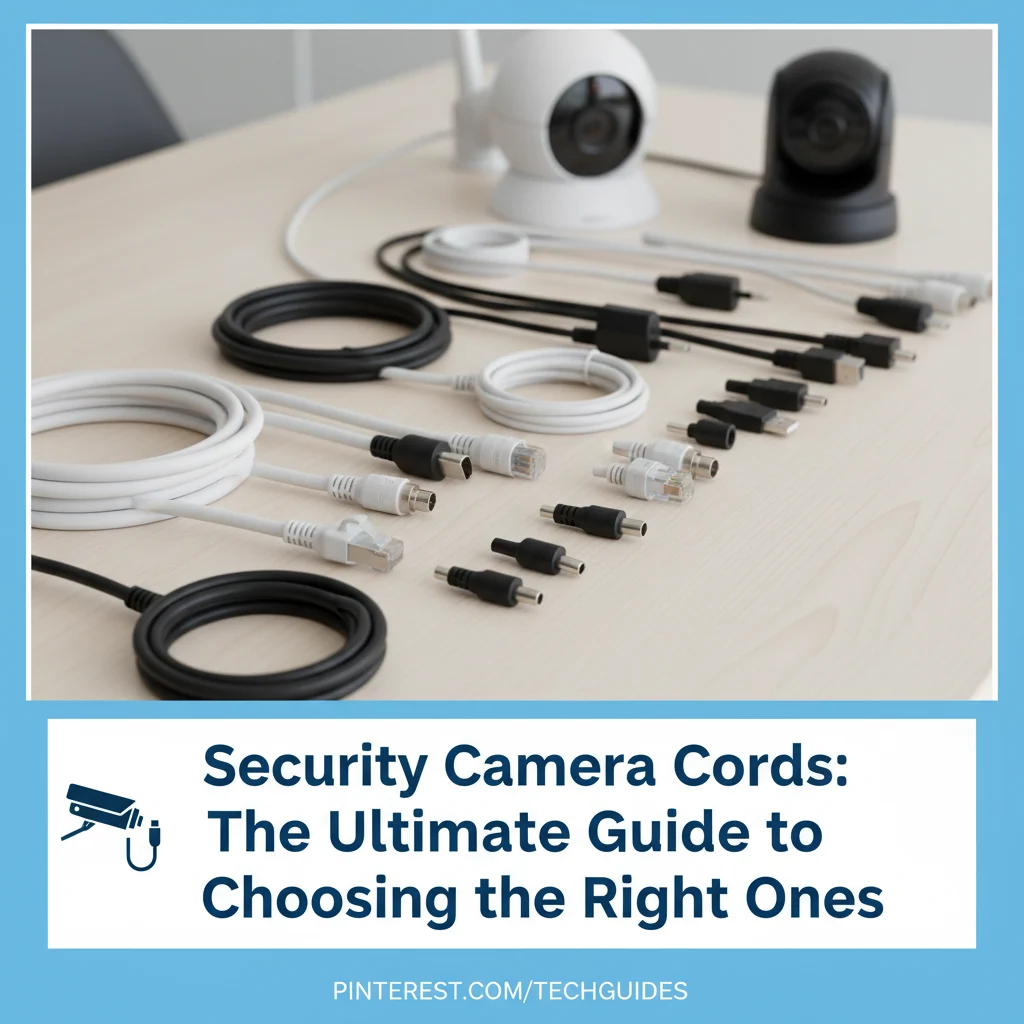
* **Ethernet Cables (Cat5e, Cat6, Cat6a):** Used for wired IP cameras. They transmit both power (PoE – Power over Ethernet) and data. Cat5e is sufficient for most home security setups, but Cat6 or Cat6a offer better performance and future-proofing, especially for high-resolution cameras.
* **Coaxial Cables (RG59, RG6):** Used for older analog CCTV cameras. These cables transmit video signals. RG6 is generally preferred over RG59 due to its better shielding and signal quality.
* **USB Cables:** Some cameras use USB for power and data transfer, particularly indoor cameras.
### Combination Cords
* **Siamese Cables:** These cables combine a power cable and a coaxial cable into a single jacket, simplifying installation for analog CCTV cameras.
[Browse top-rated security camera cords on Amazon]
## Choosing the Right Security Camera Cords: Key Factors
Choosing the right security camera cord depends on several factors, including the type of camera, its location (indoor or outdoor), and your specific security needs. Here’s a breakdown of the most important considerations:
### 1. Camera Type
The type of camera dictates the type of cords you’ll need.
* **Wired IP Cameras:** These cameras require Ethernet cables (Cat5e, Cat6, or Cat6a) for both power and data transmission if using PoE. If not using PoE, they’ll need a separate DC power cord.
* **Wireless IP Cameras:** While “wireless” cameras don’t need data cables, they still require a power cord to operate (unless they are battery powered).
* **Analog CCTV Cameras:** These cameras require coaxial cables (RG59 or RG6) for video transmission and a separate power cord.
* **USB Cameras:** These cameras use USB cables for both power and data.
### 2. Indoor vs. Outdoor Use
Outdoor cords need to be much more durable than indoor cords to withstand the elements.
* **UV Resistance:** Look for cords that are UV resistant to prevent degradation from sunlight exposure.
* **Waterproof/Weatherproof:** Ensure the cords are rated for outdoor use and are waterproof or weatherproof to protect against rain, snow, and humidity. Look for an IP rating (e.g., IP67) for water and dust resistance.
* **Temperature Rating:** Choose cords that can withstand the temperature extremes in your area.
* **Burial Rating:** If you plan to bury the cords, make sure they are specifically rated for direct burial.
### 3. Cord Length
Measure the distance between the camera and the power source or recording device carefully. It’s always better to have a slightly longer cord than one that’s too short. However, excessive length can lead to signal degradation, especially with Ethernet and coaxial cables.
### 4. Power Requirements
Ensure the power cord is compatible with the camera’s voltage and amperage requirements. Using the wrong power cord can damage the camera.
* **Voltage:** Match the voltage of the power cord to the camera’s voltage requirement (e.g., 12V, 24V).
* **Amperage:** The power cord should be able to supply at least the minimum amperage required by the camera.
### 5. Data Transmission Speed
For wired IP cameras, the data transmission speed of the Ethernet cable is crucial, especially for high-resolution cameras.
* **Cat5e:** Supports up to 1 Gigabit per second (Gbps), suitable for most home security setups.
* **Cat6:** Supports up to 10 Gbps, offering better performance and future-proofing.
* **Cat6a:** Supports up to 10 Gbps over longer distances, ideal for large properties or commercial installations.
### 6. Shielding
Shielded cables offer better protection against electromagnetic interference (EMI) and radio frequency interference (RFI), which can degrade signal quality. Shielded cables are particularly important in areas with high levels of electrical noise.
### 7. Security Considerations
Consider the security of the cords themselves.
* **Concealment:** Conceal the cords as much as possible to prevent tampering.
* **Tamper-Proofing:** Use tamper-proof connectors or enclosures to protect the cords from being easily disconnected or cut.
* **Burial:** Burying the cords is a great way to protect them from the elements and potential tampering.
[Browse top-rated security camera cords on Amazon]
## Recommended Security Camera Cords
Here are a few recommended security camera cords, covering different types and applications:
### For Power:
* **UL Listed 12V DC Power Extension Cable:** A reliable and safe option for extending the reach of your camera’s power adapter. UL listing ensures it meets safety standards. Look for one with a weatherproof connector if used outdoors.
* **[Example Amazon Product: Specific brand and model with affiliate link]**
### For Wired IP Cameras (PoE):
* **Cat6 Ethernet Cable (Outdoor Rated):** A durable and high-performance Ethernet cable for outdoor use. Look for one with UV resistance, waterproofing, and a burial rating.
* **[Example Amazon Product: Specific brand and model with affiliate link]** This cable boasts excellent shielding and a rugged outer jacket, making it perfect for exposed locations.
### For Analog CCTV Cameras:
* **RG6 Coaxial Cable (Siamese):** A convenient option for combining power and video transmission. RG6 offers better signal quality than RG59.
* **[Example Amazon Product: Specific brand and model with affiliate link]** The benefit of this siamese cable is that it simplifies running the power and video signal with one cable, keeping the installation clean and organized.
[Browse top-rated security camera cords on Amazon]
## Tools for the Job
To make the installation process easier, consider these tools:
* **Cable Tester:** Essential for verifying the integrity of Ethernet and coaxial cables.
* **Wire Strippers/Cutters:** For preparing the ends of cables for termination.
* **Crimping Tool:** For attaching connectors to Ethernet and coaxial cables.
* **Cable Ties/Clips:** For organizing and securing the cables.
* **Drill:** For drilling holes to run cables through walls or ceilings.
[Browse top-rated security camera cords on Amazon]
## Pro Tips for Security Camera Cord Installation
* **Plan Your Route:** Before you start, plan the route for your cables carefully. Avoid running cables near sources of heat or electrical interference.
* **Use Conduit:** Consider using conduit to protect the cables, especially in exposed areas.
* **Secure the Cables:** Use cable ties or clips to secure the cables to walls, ceilings, or other surfaces. This will prevent them from dangling and getting damaged.
* **Test the Connections:** After you’ve installed the cables, test the connections to make sure everything is working properly.
* **Label the Cables:** Label the cables to make it easier to identify them in the future.
* **Avoid Sharp Bends:** Sharp bends in the cable can damage the wires inside and reduce signal quality.
[Browse top-rated security camera cords on Amazon]
## FAQ About Security Camera Cords
**Q: Can I use any Ethernet cable for my IP camera?**
A: While you *can* use any Ethernet cable, Cat5e is generally the minimum recommended for most home security setups. Cat6 or Cat6a offer better performance and future-proofing, especially for high-resolution cameras.
**Q: How do I protect my security camera cords from being cut?**
A: Conceal the cords as much as possible, use tamper-proof connectors or enclosures, and consider burying the cords. You
[Check the latest prices and deals for security camera cords on Amazon today!]



![Timer Wall Switch: The Ultimate Buying Guide [2026]](https://www.bestlightweightcameras.com/wp-content/uploads/2026/03/timer-wall-switch-the-ultimate-buying-guide-2026-150x150.webp)