[Get the best value mount ipad on camera tripod on Amazon today!]
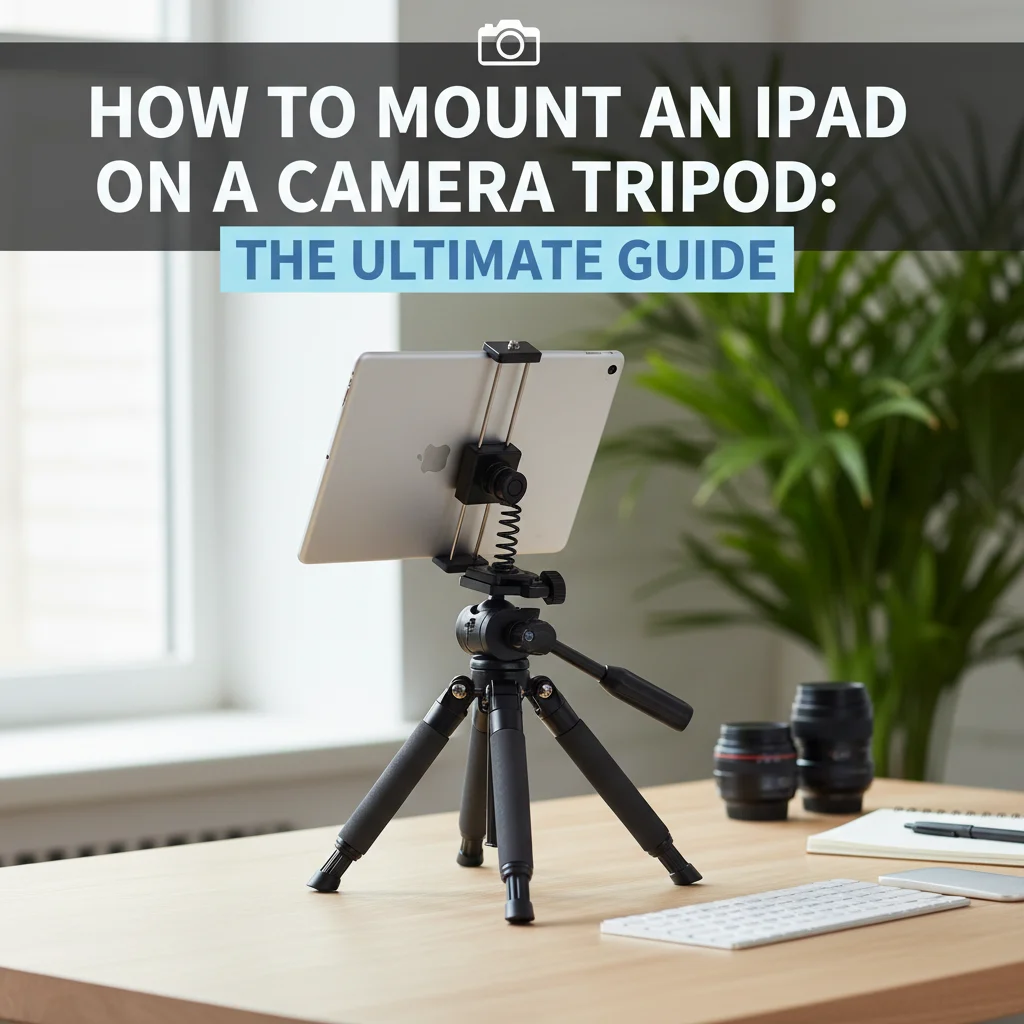
# How to Mount an iPad on a Camera Tripod: The Ultimate Guide
So, you want to mount your iPad on a camera tripod? Maybe you’re tired of shaky time-lapses, want to record steady videos, or need a teleprompter setup. Whatever your reason, you’ve come to the right place! Mounting your iPad to a tripod opens up a world of creative possibilities, and this guide will walk you through every step. It’s easier than you think, and the results are well worth the effort.
We’ll cover everything you need to know, from choosing the right equipment to setting it all up for the perfect shot. Let’s get started!
### Step 1: Gather Your Gear
Before we dive into the mounting process, let’s make sure you have everything you need. Here’s a checklist:
* **iPad:** Obviously!
* **Camera Tripod:** Any standard camera tripod will work, but a sturdier model is recommended, especially if you’re using a larger iPad.
* **iPad Tripod Mount:** This is the key piece of equipment. It’s a bracket that securely holds your iPad and attaches to the tripod.
* **(Optional) Bluetooth Remote Shutter:** If you’re using your iPad for photography or videography, a Bluetooth remote shutter will allow you to take photos or start/stop videos without touching the screen, minimizing camera shake.
### Step 2: Choose the Right iPad Tripod Mount
The iPad tripod mount is the most crucial piece of this puzzle. There are several different types available, so let’s explore some popular options:
* **Spring-Loaded Clamps:** These mounts use a spring-loaded clamp to grip your iPad. They’re generally adjustable to fit different iPad sizes, but make sure the clamp is strong enough to hold your iPad securely.
* **Adjustable Brackets:** These mounts have adjustable arms or brackets that you can customize to fit your iPad. They often provide a more secure fit than spring-loaded clamps, especially for larger or heavier iPads.
* **Dedicated Cases:** Some manufacturers offer dedicated iPad cases with a built-in tripod mount. These cases provide excellent protection for your iPad and offer a seamless mounting experience.
**Tools for the Job:**
For a reliable and versatile option, I recommend the **Arkon RoadVise Universal Tablet Tripod Mount**.
* **Key Features:**
* Fits iPads and other tablets with screen sizes from 7 to 18.4 inches.
* Features a spring-loaded design for easy insertion and removal of your iPad.
* Compatible with standard camera tripods with a 1/4″-20 mounting pattern.
The Arkon RoadVise is a solid choice because it offers a wide range of compatibility and a secure grip. Its adjustable design means you can use it with different iPads, even with cases. It’s easy to use and built to last, making it a worthwhile investment for anyone looking to **mount ipad on camera tripod**.
### Step 3: Attach the iPad Tripod Mount to Your Tripod
Once you have your iPad tripod mount, the next step is to attach it to your camera tripod. Most iPad tripod mounts use a standard 1/4″-20 mounting pattern, which is the same as most camera tripods.
1. **Locate the Mounting Screw:** On your tripod’s head, you’ll find a screw that’s used to attach cameras.
2. **Align the Mount:** Align the mounting hole on your iPad tripod mount with the screw on your tripod.
3. **Secure the Mount:** Screw the iPad tripod mount onto the tripod until it’s snug and secure. Avoid over-tightening, as this could damage the mount or the tripod.
### Step 4: Insert Your iPad into the Mount
Now it’s time to put your iPad into the mount. The exact process will vary depending on the type of mount you’re using, but here are some general tips:
1. **Loosen the Clamp or Brackets:** If you’re using a spring-loaded clamp or adjustable bracket, loosen it to create enough space for your iPad.
2. **Position Your iPad:** Carefully position your iPad in the mount, making sure it’s centered and aligned properly.
3. **Secure the iPad:** Tighten the clamp or brackets to secure your iPad in the mount. Make sure the iPad is held firmly, but don’t over-tighten, as this could damage the device.
### Step 5: Adjust the Angle and Orientation
Once your iPad is securely mounted on the tripod, you can adjust the angle and orientation to get the perfect shot.
1. **Loosen the Tripod Head:** Most tripods have a head that can be tilted and rotated. Loosen the locking knobs or levers on the tripod head to allow you to adjust the angle and orientation of your iPad.
2. **Adjust the Angle:** Tilt the iPad up or down to get the desired angle.
3. **Rotate the Orientation:** Rotate the iPad to either landscape or portrait orientation, depending on your needs.
4. **Lock the Tripod Head:** Once you’ve achieved the desired angle and orientation, tighten the locking knobs or levers on the tripod head to secure the iPad in place.
### Step 6: Fine-Tune Your Setup
Now that your iPad is mounted on the tripod, it’s time to fine-tune your setup for the best results.
1. **Check for Stability:** Gently shake the tripod to make sure it’s stable. If it wobbles, adjust the legs to create a wider base of support.
2. **Adjust the Height:** Extend or retract the tripod legs to adjust the height of the iPad.
3. **Connect a Bluetooth Remote Shutter (Optional):** If you’re using a Bluetooth remote shutter, pair it with your iPad and test it to make sure it’s working properly.
4. **Frame Your Shot:** Use the iPad’s camera app to frame your shot. Pay attention to the composition, lighting, and background.
### Pro-Tips / FAQ Section
* **Q: My iPad is too heavy for my tripod. What should I do?**
* A: Consider upgrading to a sturdier tripod with a higher weight capacity. You can also try using a counterweight to balance the load.
* **Q: Can I use my iPad with a case?**
* A: It depends on the iPad tripod mount. Some mounts are designed to accommodate iPads with cases, while others require you to remove the case. Check the specifications of the mount before purchasing.
* **Q: How do I prevent my iPad from overheating?**
* A: Avoid using your iPad in direct sunlight for extended periods. If it starts to overheat, turn it off and let it cool down before using it again.
* **Pro Tip 1:** Use a Bluetooth keyboard and mouse for easier control when using your iPad as a workstation on the tripod.
* **Pro Tip 2:** Experiment with different angles and heights to find the best perspective for your shots.
* **Pro Tip 3:** Invest in a good quality tripod for better stability and durability.
### **Understanding the Benefits of Mounting Your iPad on a Tripod**
Before we wrap things up, let’s explore the myriad of benefits you unlock when you **mount ipad on camera tripod**. It’s not just about eliminating shaky videos (though that’s a huge plus!).
* **Enhanced Stability:** As mentioned, the most obvious benefit is stability. A tripod eliminates camera shake, resulting in sharper photos and smoother videos. This is crucial for professional-looking content.
* **Precise Framing:** A tripod allows you to carefully frame your shots and maintain a consistent composition. This is especially important for time-lapses, stop-motion animation, and product photography.
* **Hands-Free Operation:** Mounting your iPad on a tripod frees up your hands, allowing you to focus on other tasks. This is ideal for live streaming, video conferencing, and using your iPad as a teleprompter.
* **Creative Possibilities:** A tripod opens up a world of creative possibilities. You can experiment with different angles, heights, and perspectives to capture unique and compelling shots.
* **Improved Ergonomics:** Using your iPad on a tripod can improve your posture and reduce strain on your neck and shoulders. This is especially beneficial if you use your iPad for extended periods.
### **Recommended Products for Mounting Your iPad on a Tripod**
To make your life easier, here are a few more recommended products that will enhance your iPad tripod mounting experience:
* **Manfrotto PIXI Mini Tripod:**
This compact and lightweight tripod is perfect for travel and on-the-go use. It features a ball head for easy angle adjustments and a sturdy construction for reliable support. While primarily designed for cameras, it works great with smaller iPads when combined with a suitable mount.
* **Key Features:**
* Lightweight and portable
* Ball head for easy adjustments
* Durable construction
* **Why We Like It:** The Manfrotto PIXI is incredibly versatile and easy to carry around. It’s a great option for anyone who needs a compact and reliable tripod for their iPad.
* **Joby GripTight Pro 2 Mount:**
This versatile mount can be used with a variety of devices, including iPads and smartphones. It features adjustable jaws that securely grip your device and a cold shoe mount for attaching accessories like microphones or lights.
* **Key
[Check the latest prices and deals for mount ipad on camera tripod on Amazon today!]



![Timer Wall Switch: The Ultimate Buying Guide [2026]](https://www.bestlightweightcameras.com/wp-content/uploads/2026/03/timer-wall-switch-the-ultimate-buying-guide-2026-150x150.webp)